

Select
DMR Mode
from factory reset, modes and display type need to be selected as minimum

and MMDVM Display Type
from factory reset, modes and display type need to be selected as minimum

and MMDVM Display Type
from factory reset, modes and display type need to be selected as minimum

always Apply Changes
after edits to each section
activating DMR mode will activate the DMR Configuration panel after these changes are applied
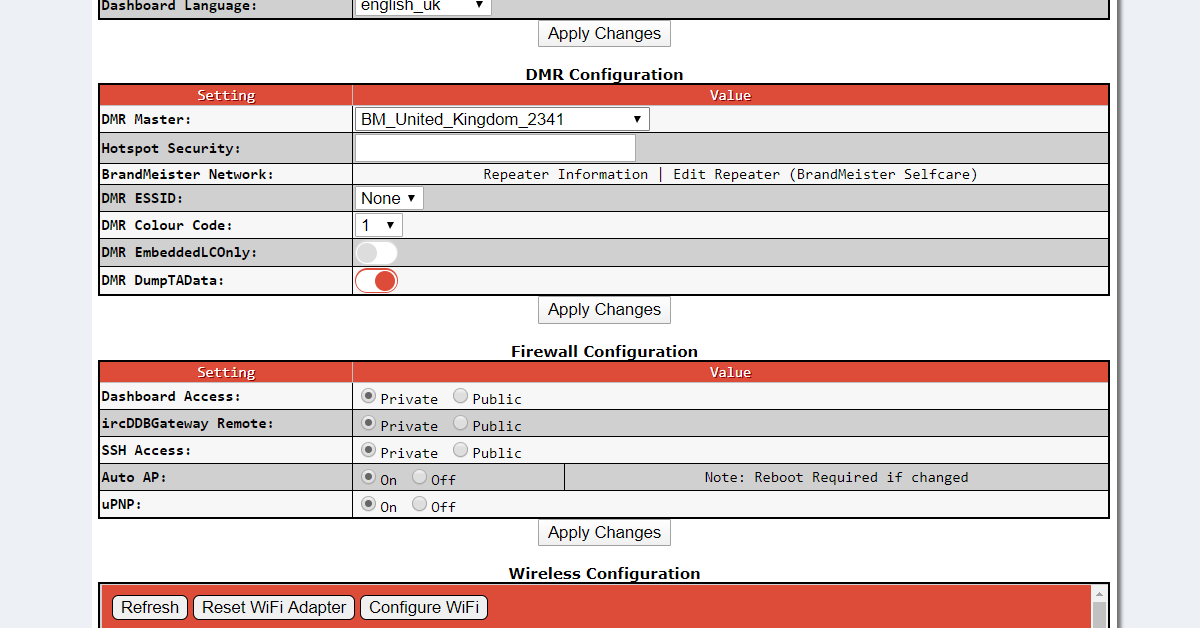
Now choose DMRGateway as the DMR Master
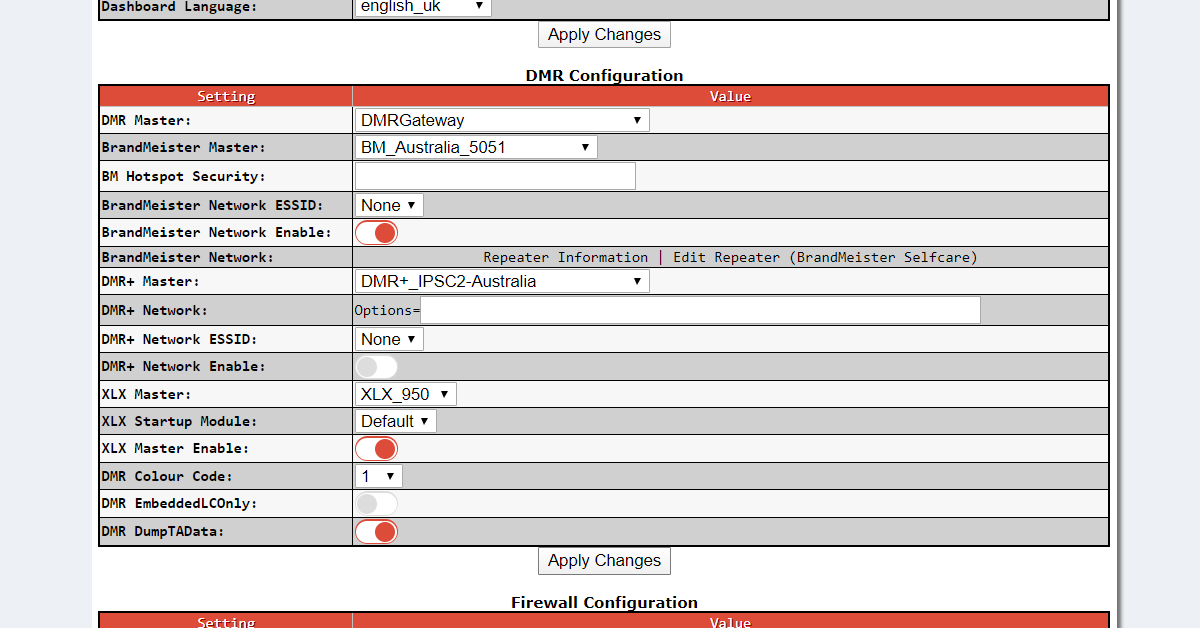
activating DMRGateway will bring back 3 DMR Master possibilities

Now choose DMRGateway as the DMR Master
activating DMRGateway will bring back 3 DMR Master possibilities

always Apply Changes
after edits to each section

Select your country's Brandmeister
or DMR+ Master
Brandmeister, DMR+ and XLX Masters are now available to configure and enable

Select your country's Brandmeister
or DMR+ Master

Enable the selected
Network
All 3 Masters may be configured and enabled. ReWrite rules may assist radio operation

Enable the selected
Network and XLX Master
other DMR networks can be configured and enabled via the Expert Editor for DMR GW
always Apply Changes
after edits to each section

you may wish to select a default reflector and startup Module

you may wish to select a default reflector and startup Module

you may wish to select a default reflector and startup Module
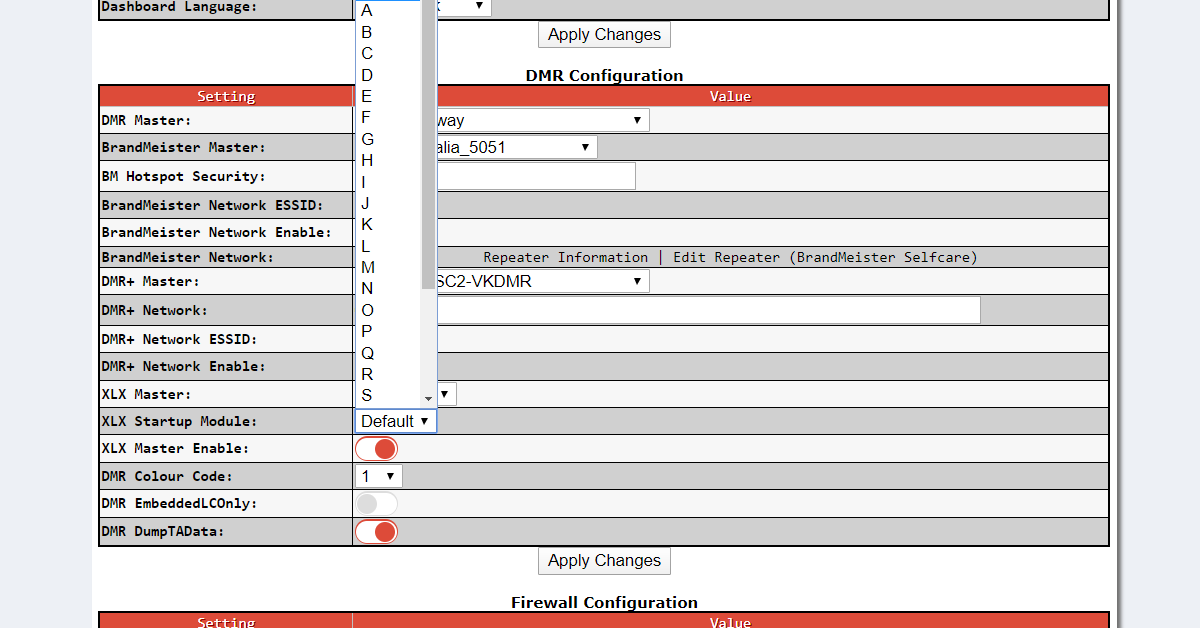
you may wish to select a default reflector and startup Module

always Apply Changes
after edits to each section

select a 'quiet'
XLX Master reflector and Module so it's easy to navigate away after
a re-start

